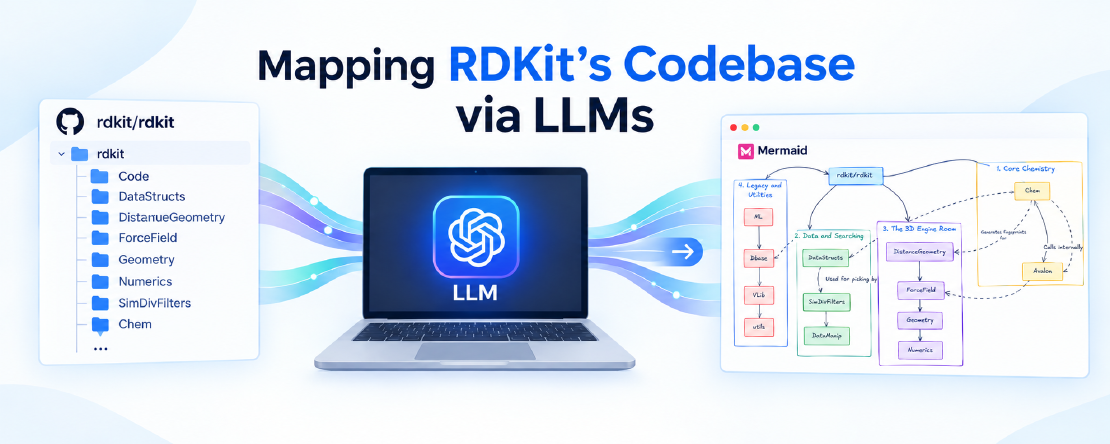
Mapping RDKit’s Codebase via LLMs
Historically, understanding the intricate internals of large codebases demanded exhaustive manual effort, whether deciphering legacy code through physical manuals or sifting through raw source code from an open-source repository. This arduous process of piecing together undocumented systems was a persistent challenge, requiring countless hours of brute force. However, more than twenty years after the start of my PhD, the nature of codebase exploration has undergone a fundamental phase shift, with Large Language Models now offering a transformative approach to rapidly map and comprehend the complex architecture of extensive libraries like RDKit.
Digging Into Internals: From Printed Manuals to LLMs
My doctoral research at UConn involved developing a new QM/MM method built on top of the ONIOM framework in the electronic structure program Gaussian 03. This was an extension of my research supervisor’s postdoctoral work at Yale. When I stepped into the project, I inherited a codebase primarily written in Fortran 77 and Perl. The low-level routines made direct calls to specific Links and Internal Options (IOPs) inside Gaussian 03, with Perl acting as the scripting glue holding the disparate pieces together. With virtually no comments in the code and no real documentation to speak of, I had to piece together the entire system step by step after a few initial briefings with my advisor. Furthering the method required endless hours digging through Gaussian 03’s physical manuals and obscure text reference sheets, deciphering what every Link and IOP actually did under the hood.
Years later, during my postdoctoral research at the UConn School of Pharmacy, I faced a similar challenge while developing MolFind and other metabolomics software. Working with the Chemistry Development Kit (CDK), I had to go through the codebase to figure out what the existing library was capable of doing. With minimal official documentation available, I had to rely on reading raw Java source code, piecing together scattered wikis and tutorials, and hunting through old Stack Overflow questions. Understanding an open-source codebase required pure brute force, reading thousands of lines of code and building the system’s mental model manually.
Now, more than twenty years after the start of my PhD, the nature of codebase exploration has undergone a fundamental phase shift. When I recently sat down to map the repository architecture of RDKit, a large codebase blending high-performance C++ binaries with high-level Python bindings, I did not start by stepping through execution paths or reading old wikis. I used a Large Language Model.
Framing the Prompt: Intentions & Strategy
When approaching a large and old cheminformatics library like RDKit, my goal was to pinpoint the parts actually worth my attention for modern RDKit-based workflows. First released by Greg Landrum in 2006, RDKit has undergone twenty years of continuous evolution. Rather than spending days clicking through folder trees on GitHub or getting lost in decades of accumulated code, I wanted to see how its high-performance C++ core connects to the higher-level Python package, how third-party dependencies are handled, and where active modules fit in alongside legacy components preserved for backward compatibility.
To accomplish this, I turned to Google Gemini and provided the URL to the root directory of the RDKit GitHub repository, targeting version 2026.03. Rather than asking for a generic folder listing, I structured my inquiry around architectural intent. I instructed the model to ignore hidden folders like .github and .azure-pipelines and focus strictly on top-level folders. I asked it to group those folders according to their functional roles rather than listing them alphabetically, explain the interplay between these components during execution, and generate a Mermaid diagram to map the visual workflow.
Getting the output right required a bit of prompt refinement through an iterative conversation. Language models can occasionally hallucinate plausible-sounding components, and in one instance, Gemini invented a top-level folder that did not exist in the actual repository root. I had to issue follow-up prompts to tightly constrain the analysis strictly to the real folder structure. Once those boundaries were established, the model handled the bulk of the structural work remarkably well. A cursory spot-check of key code files inside several core directories confirmed that the descriptions Gemini produced were legit and accurate. With a solid structural breakdown in hand, I took the raw Mermaid diagram generated by the LLM and enhanced it using Excalidraw to create a clean visual schema.
The RDKit Repository Root
Landing on the RDKit GitHub repository for the first time can easily feel overwhelming given the sheer density of files and folders accumulated over twenty years of development. Yet, despite its depth, you do not need to decipher every low-level file to benefit from its design. At its core, RDKit is a high-performance C++ engine wrapped cleanly in a Python interface, supported by external libraries for specialized tasks and surrounded by testing, documentation, and tooling frameworks.
Understanding this macro-structure is what transforms RDKit from a black-box package into an intuitive set of tools. Grouping the root directories by architectural intent reveals how the library comes together under the hood.
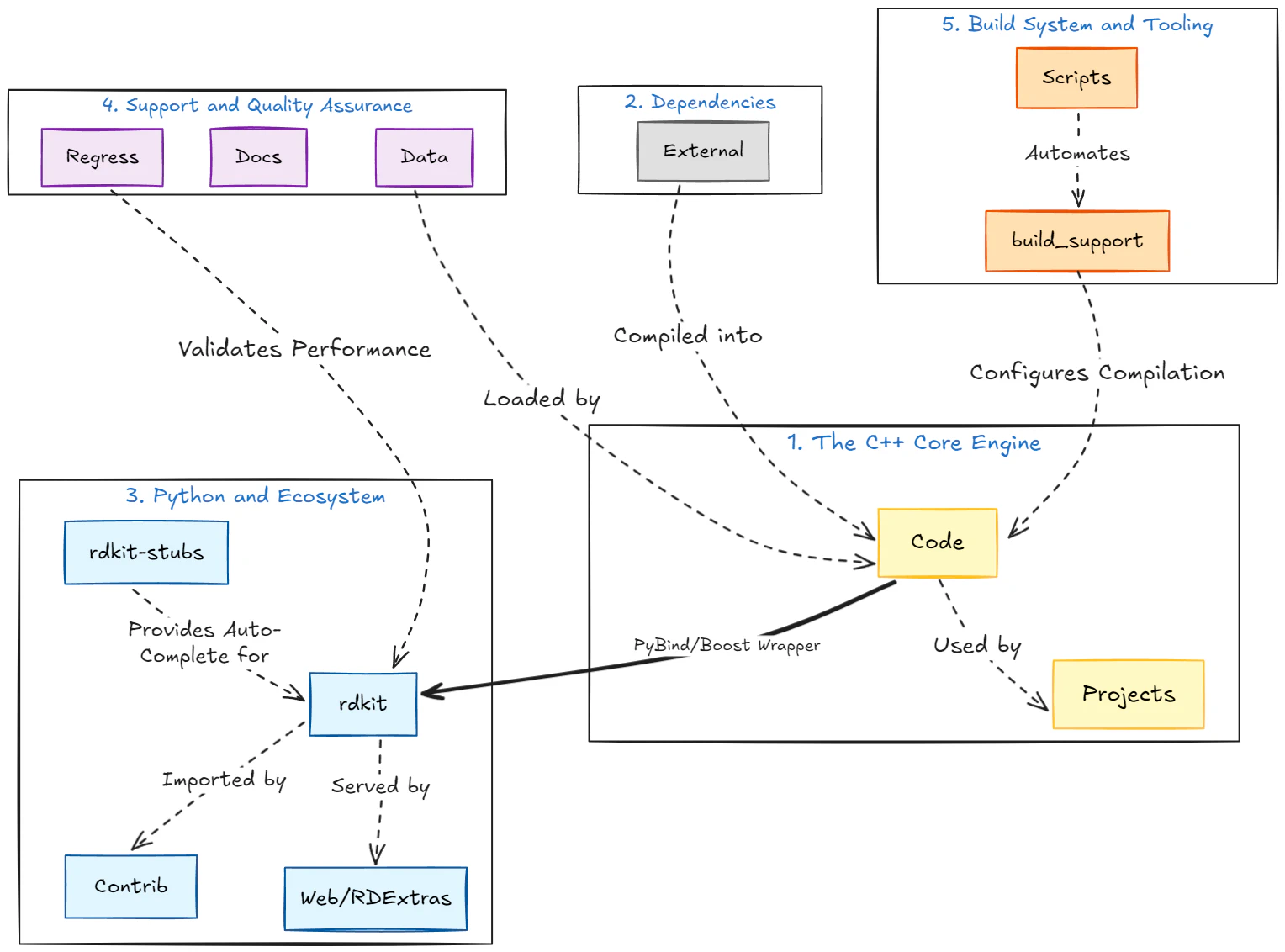
1. The C++ Core Engine
RDKit calculates chemical properties at high speeds because its core routines are written natively in C++.
Code: The heart of the software containing all core logic for defining atomic representations, ring perception, fingerprint generation, and 3D molecular mechanics. During installation, this code compiles into optimized binaries.Projects: Standalone applications built directly on the C++ core. This includes specialized extensions, such as the PostgreSQL cartridge that enables fast chemical substructure searches directly inside a relational database.
2. Dependencies
External: Bundled third-party C++ source libraries required for global standards, such as theInChIgenerator for IUPAC naming orFreeSASAfor solvent-accessible surface area calculations. Including them directly in the tree ensures smooth compilation without manual dependency hunting.
3. Python and Ecosystem
This layer represents the primary interface for everyday Python workflows.
rdkit: The actual Python package directory. When executingimport rdkit, Python references this module, which bridges high-level Python commands down to the compiled C++ binaries.rdkit-stubs: Python type hinting files (.pyi). Because C++ wrappers can obscure introspection, these stubs provide explicitly typed definitions to modern code editors, enabling autosuggestion and static type checking.Contrib: Community-contributed add-ons and specialized tools, such as Synthetic Accessibility (SA) scoring scripts. They are bundled alongside the main codebase, though maintained independently from the core API.Web/RDExtras: Legacy web components and specialized helper scripts kept within the repository for backward compatibility and specific framework integrations.
4. Support and Quality Assurance
Data: Runtime reference files essential to algorithm execution, including text dictionaries for standardizing functional groups, salt-stripping rules, and 3D coordinate generation parameters.Docs: Source documentation files, manual pages, and build configurations that generate the official RDKit documentation site.Regress: Comprehensive regression testing suites used to verify performance stability and ensure that incoming updates do not reintroduce past bugs.
5. Build System and Tooling
build_support: CMake build configuration files that help the compiler locate Python environments and C++ toolchains across Windows, macOS, and Linux operating systems.Scripts: Internal maintenance and DevOps tooling used by the core maintainers to format code, manage continuous integration pipelines, and package release builds forpipandconda.
Looking at this root layout, the interplay becomes straightforward: the source files inside External support the compilation of Code, creating the primary engine. The rdkit directory wraps those compiled binaries for Python execution, while rdkit-stubs ensures modern development environments can inspect and autocomplete those functions cleanly.
Python Package Architecture
Navigating directly into the rdkit directory
brings you to the core Python package itself. These are the exact files delivered to your environment when running pip install rdkit or conda install -c conda-forge rdkit.
For a modern practitioner, browsing this folder can initially seem confusing. Because RDKit has been actively maintained and extended for two decades, several modules exist primarily for backward compatibility with older codebases. Modern data science pipelines typically rely on a focused, tightly integrated subset of these components.
Mapping the 14 subfolders in the Python package root reveals how data flows across the system. There is an explicit workflow where you intentionally pass structures between modules, alongside an implicit workflow where low-level routines handle calculations silently under the hood.
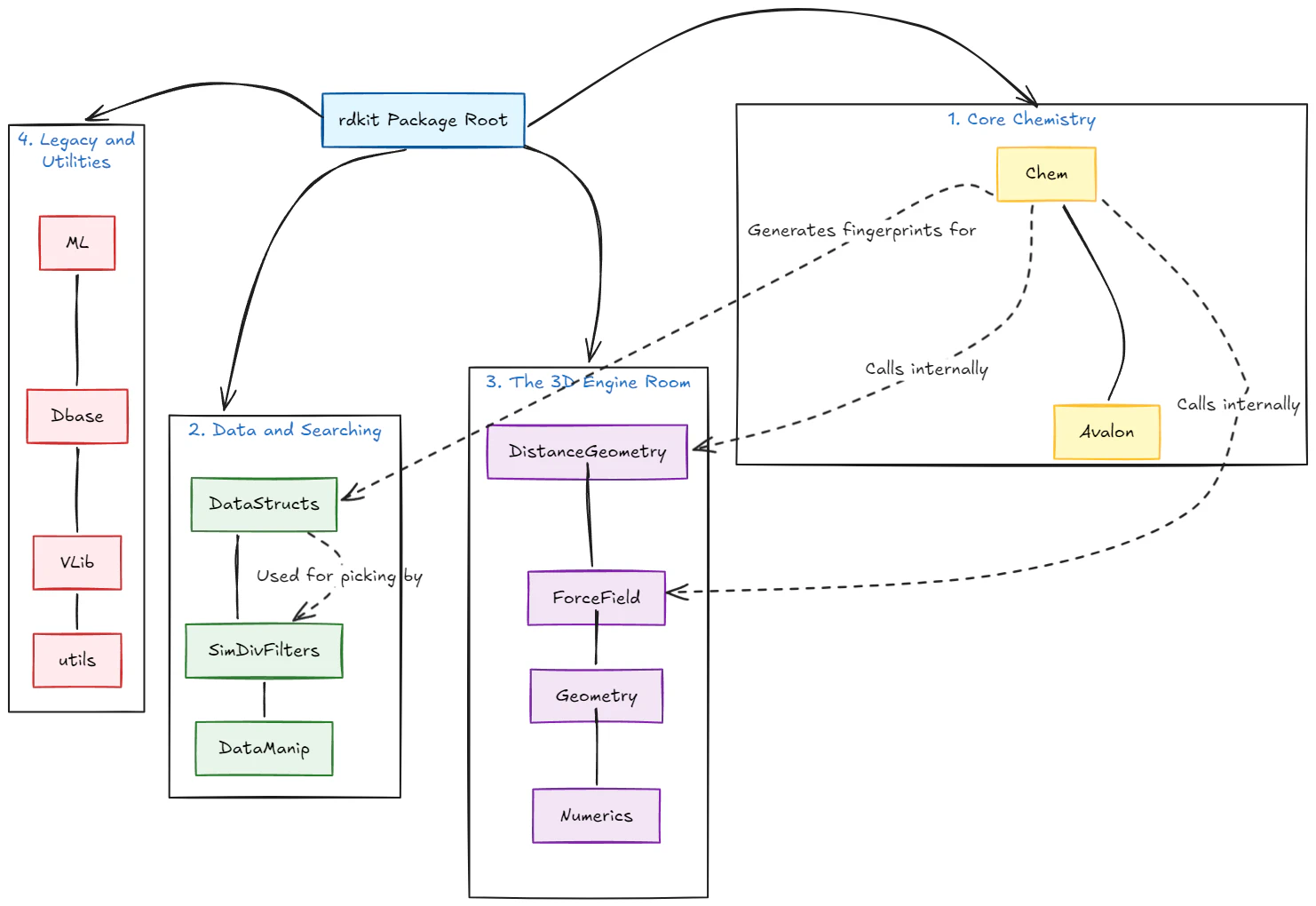
In daily cheminformatics and machine learning tasks, you will likely spend 95% of your execution time within one or two primary modules, ignoring the legacy layer entirely. The directory structure breaks down into four functional tiers.
1. The Command Center (Core Chemistry)
If you focus on a single module, make it Chem. It serves as the primary entry point for nearly every Python-based workflow.
Chem: The foundational layer of the API. It handles molecule creation, reaction processing, 2D structure depiction, molecular property calculations, and fingerprint generation. Most workflows import these tools directly viafrom rdkit import Chemorfrom rdkit.Chem import AllChem. Crucially,Chemconstructs the underlying data structures that feed the rest of the ecosystem.Avalon: Python bindings for the external Avalon toolkit bundled with RDKit, primarily used for generating specialized Avalon fingerprints and structure canonicalization.
2. Data and Searching (Cheminformatics Tools)
This layer represents the explicit workflow. Once Chem processes a molecule, you pass the output here for downstream analysis.
DataStructs: To maximize memory efficiency, RDKit represents fingerprints as specialized bit vectors and count vectors rather than native Python lists. You explicitly take fingerprints generated byChemand pass them toDataStructsto compute similarity metrics like Tanimoto or Dice coefficients.SimDivFilters: Contains diversity picking and max-min selection algorithms. When filtering thousands of candidate compounds down to a diverse subset,SimDivFiltersprocesses the similarity matrices derived fromDataStructsto make those selections.DataManip: Lower-level utilities for vector manipulation, data scaling, and metric transformation, occasionally called by similarity pickers and legacy evaluation workflows.
3. The 3D Engine Room (Math and Physics)
These modules house the mathematical and physical foundations for manipulating 3D conformers. This represents the implicit workflow, and you will rarely need to import them directly.
DistanceGeometry: Implements distance geometry algorithms to construct initial 3D molecular coordinates from bounds matrices.ForceField: Contains molecular mechanics force field implementations, such as MMFF94 and UFF, used to optimize 3D conformers into low-energy states.Geometry: Fundamental geometric representations for 3D points, planes, transformation matrices, and angles.Numerics: Mathematical routines for linear algebra, matrix operations, alignment, and numerical optimization.
Under the hood, when you call high-level conformer generation functions in Chem, RDKit orchestrates DistanceGeometry and ForceField automatically. Direct interaction with these modules is generally reserved for custom force-field development or specialized 3D coordinate algorithms.
4. Legacy and Utilities
Because RDKit predates modern Python data science frameworks like pandas, scikit-learn, PyTorch, and SQLAlchemy, several modules remain preserved to prevent breaking legacy scripts. Modern workflows can safely bypass these folders:
ML: Built-in machine learning models from the early 2000s, including historical decision trees and neural network implementations. Modern pipelines typically convert RDKit fingerprints into NumPy arrays or PyTorch tensors for external modeling frameworks.Dbase: Database connectivity wrappers built for legacy SQLite interfaces.VLib: Historical framework for virtual library generation and combinatorial reaction enumerations.utils: General internal helper routines and older administrative Python scripts.
Understanding this architecture boils down to a clear, repeatable pipeline. You initialize molecules and calculate fingerprints inside Chem, pass those vector representations to DataStructs for similarity scoring, and feed those metrics into SimDivFilters when selecting representative chemical space for down-stream modeling or compound acquisition.
Final Thoughts
Could there be subtle errors in these LLM-generated folder descriptions? Are there nuanced omissions or legacy edge cases that the model failed to capture? Almost certainly. A veteran RDKit developer who has spent years inside the repository could likely point out edge cases, secondary utility scripts, or subtle architectural details that an LLM misses during a top-level sweep. However, catching every minute detail on day one is not the goal. The true value lies in rapidly establishing a accurate, high-level mental model of a massive codebase. Even with minor imperfections, this approach provides a reliable bird’s-eye view of the entire repository layout. It demystifies decades of accumulated code, offering a clear and practical starting point for anyone trying to understand how RDKit fits together and where to focus their attention.
Related Posts
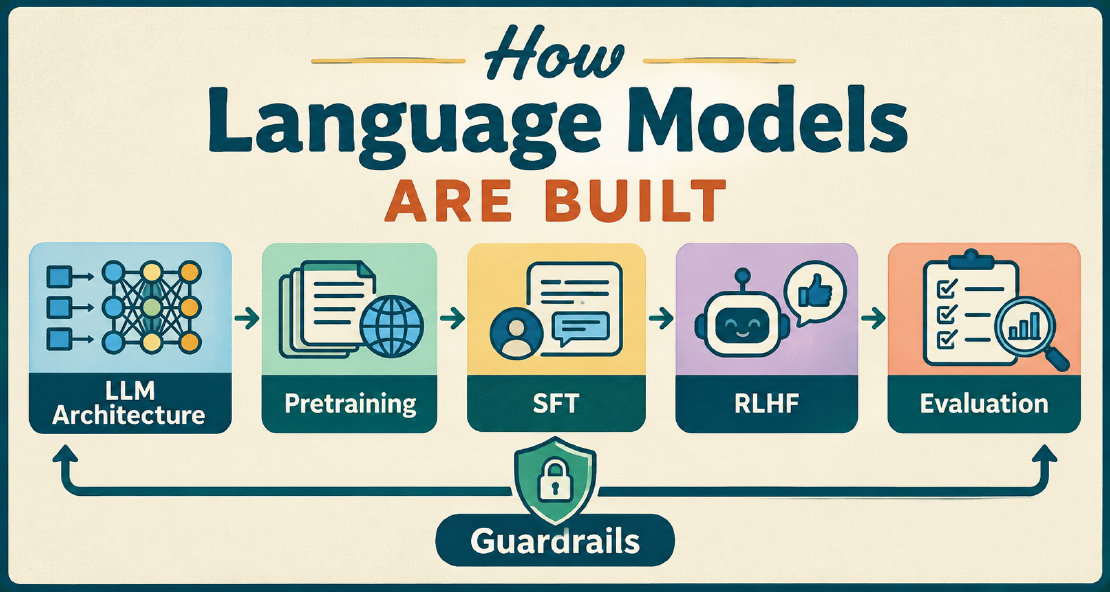
How Language Models Are Built
At this point, almost everyone is familiar with AI tools like ChatGPT, Google Gemini, and Anthropic’s Claude. These web-based tools seem capable of answering any question, writing code, and generating images or short videos.
Read more
Why Run Language Models Locally?
Advances in large language models made it easier for us to write and edit text, helping us create better content with less effort.
Read more
LLM Settings
Large language models offer a suite of adjustable settings that enable users to precisely customize their output and behavior. These parameters, including temperature, top p, frequency and presence penalties, maximum sequence length, stop sequences, and context length, are fundamental to controlling aspects such as the randomness, diversity, and structure of generated text.
Read more